
Last updated on
Nov 4, 2026

UK HMRC SC2 2014-2026 free printable template
pdfFiller is not affiliated with any government organization

Fill out
Complete the form online in a simple drag-and-drop editor.

eSign
Add your legally binding signature or send the form for signing.

Share
Share the form via a link, letting anyone fill it out from any device.

Export
Download, print, email, or move the form to your cloud storage.
Why pdfFiller is the best tool for your documents and forms


End-to-end document management
From editing and signing to collaboration and tracking, pdfFiller has everything you need to get your documents done quickly and efficiently.
Accessible from anywhere
pdfFiller is fully cloud-based. This means you can edit, sign, and share documents from anywhere using your computer, smartphone, or tablet.
Secure and compliant
pdfFiller lets you securely manage documents following global laws like ESIGN, CCPA, and GDPR. It's also HIPAA and SOC 2 compliant.
What is UK HMRC SC2
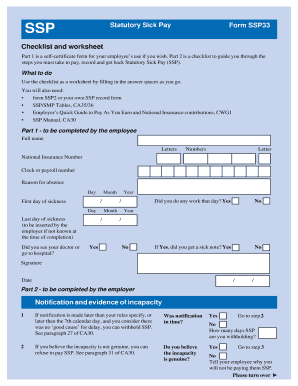
The UK Statutory Sick Pay Form is an employment document used by employees in the UK to report sickness absence to their employer for entitlement assessment of Statutory Sick Pay (SSP).
pdfFiller scores top ratings on review platforms




I love this application! It has made my life so much easier in filing medical claims. I used to have to write or type them out (yes with a typewriter!) but now I just do them on PDFfiller and it takes me less than 1/2 the time! Thank you!
So far I've had a good experience, however, I've only created 1 document
Who needs UK HMRC SC2?
Explore how professionals across industries use pdfFiller.

UK HMRC SC2 is needed by:
-
Employees who are sick and need to report absence.
-
Employers managing absence records and eligibility for SSP.
-
HR professionals overseeing employee health and benefits.
-
Payroll departments needing documentation for sick pay processing.
-
Legal advisors assisting with employment and compensation matters.
Comprehensive Guide to UK HMRC SC2
Understanding the UK Statutory Sick Pay Form
The UK Statutory Sick Pay Form serves a critical role in the employee sickness reporting process. This form enables employees to report sickness absence accurately and is essential for implementing Statutory Sick Pay (SSP) claims. Its significance lies in maintaining precise employee records, ensuring both employees and employers can refer to a verified statement of sickness.
Purpose and Benefits of the UK Statutory Sick Pay Form
This form offers various practical applications and advantages for both employees and employers. For employees, it secures financial support during periods of illness, allowing them to focus on recovery without financial strain. Employers also gain from efficient sick leave management, ensuring compliance with legal requirements regarding sickness absence reporting.
-
Facilitates financial assistance for ill employees.
-
Streamlines employer processes related to sick leave.
-
Ensures adherence to existing legal reporting obligations.
Who Needs the UK Statutory Sick Pay Form?
The typical users of the UK Statutory Sick Pay Form are employees who have been absent from work due to sickness for four or more consecutive days. This form validates their sick leave, allowing them to claim financial support during their absence. However, there are scenarios where an employee may not need to file this form, such as shorter illness durations or differences in employer policies.
Eligibility Criteria for Statutory Sick Pay
To qualify for Statutory Sick Pay, specific eligibility criteria must be met. Employees need to consider their employment status and the duration of their employment, as these factors influence their qualification. Moreover, National Insurance contributions play a crucial role in determining eligibility for SSP claims.
-
Must be employed and unfit for work for at least four days.
-
Required to have made sufficient National Insurance contributions.
-
Eligible situations usually involve serious illness or injury.
How to Fill Out the UK Statutory Sick Pay Form Online
Filing the UK Statutory Sick Pay Form online is straightforward. Follow a step-by-step approach for accurate completion, especially when using pdfFiller, which enhances the process with fillable options. Start by providing personal details like your name, National Insurance number, and specific sickness information. Be sure to interpret sections correctly, such as the accident at work checkbox.
-
Access the pdfFiller platform and locate the SSP form.
-
Fill in your personal details and sickness information.
-
Review the form for any complexities, like the accident checkbox.
-
Submit electronically for immediate processing.
Common Mistakes to Avoid When Completing the Form
When completing the UK Statutory Sick Pay Form, employees should be aware of frequent mistakes that can affect their eligibility. Commonly overlooked fields may lead to complications in processing claims. Therefore, ensuring documentation is accurate and signatures are correctly placed is essential.
-
Check for missing fields and details before submission.
-
Be mindful of the accuracy of all provided information.
-
Use a validation checklist prior to finalizing the form.
Submission Methods for the UK Statutory Sick Pay Form
After completing the UK Statutory Sick Pay Form, there are various submission methods available. Employees can submit the form online, via email, or in person, depending on their preference and employer guidelines. It's crucial to be aware of potential fees and deadlines linked to these submission methods.
-
Options include online submission, emailing, or delivering in person.
-
Identify the correct office location based on your area.
-
Follow up on submission deadlines to avoid delays.
What Happens After Submitting the UK Statutory Sick Pay Form?
Upon submission of the UK Statutory Sick Pay Form, applicants can anticipate a specific processing timeline. Understanding the follow-up actions is key to navigating the post-submission process. Additionally, retaining copies of all submitted forms is crucial for personal record-keeping.
-
Expect a processing time frame communicated by your employer.
-
Check the status of your application through designated channels.
-
Keep copies of submitted forms for future reference.
Why Choose pdfFiller for Your UK Statutory Sick Pay Form
Choosing pdfFiller for completing the UK Statutory Sick Pay Form offers several advantages. The platform is equipped with features that enhance the form-filling experience, such as easy editing and eSigning capabilities. Moreover, extensive security measures ensure that sensitive information remains protected throughout the process.
-
Easy editing and fillable sections for user convenience.
-
Secure handling of personal data with 256-bit encryption.
-
User testimonials highlight increased efficiency and satisfaction.
Finalize Your Application with Confidence Using pdfFiller
Utilizing pdfFiller for your UK Statutory Sick Pay Form empowers users to submit their claims confidently. The platform's user-friendly tools facilitate the filling and submission process, ensuring compliance with security standards while managing sensitive information aptly.
How to fill out the UK HMRC SC2
-
1.To access the UK Statutory Sick Pay Form on pdfFiller, visit the website and search for the form by its name.
-
2.Once you find the form, click on it to open it in the pdfFiller editor where you can start inputting information.
-
3.Before filling out the form, gather necessary information such as your surname, first name, National Insurance number, date of birth, and details regarding your sickness.
-
4.Begin by completing the fillable fields in the form, ensuring accurate and up-to-date information is provided for each field.
-
5.Use the checkboxes carefully to indicate whether your sickness was caused by an accident at work or an industrial disease, as required.
-
6.Once all information is filled out, review the form thoroughly for any errors or missing information to ensure everything is complete.
-
7.After confirming accuracy, add your signature where indicated to validate your statement.
-
8.To save your completed form on pdfFiller, select the save option, then choose to download the form to your device or submit it directly through pdfFiller to your employer.

Who is eligible to use the UK Statutory Sick Pay Form?
Any employee in the UK who has been absent from work due to sickness for four days or more is eligible to use this form to report their absence and claim Statutory Sick Pay.
What details are required on the form?
The form requires various details such as your surname, first name, National Insurance number, date of birth, and specifics about your sickness to determine eligibility for SSP.
How should I submit the completed form?
The completed form can be submitted electronically through pdfFiller or printed and handed directly to your employer, depending on their submission requirements.
What common mistakes should I avoid when filling out the form?
Common mistakes include omitting required fields, providing incorrect personal information, and failing to sign the form. Always double-check for completeness and accuracy before submission.
Is notarization required for this form?
No, the UK Statutory Sick Pay Form does not require notarization. It only needs to be completed and signed by the employee.
Can I save the form for later completion?
Yes, pdfFiller allows you to save your progress. You can fill out the form partially, save it, and return to complete it later without losing your information.
What is the processing time for SSP once I submit the form?
Processing times for Statutory Sick Pay once the form is submitted may vary depending on the employer's payroll schedule, but typically, you should expect to see it reflected in your upcoming payslip if approved.
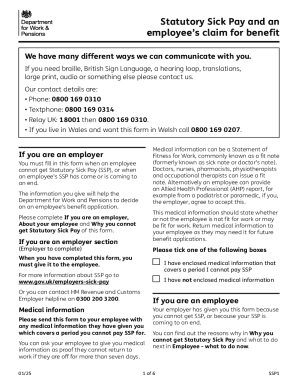
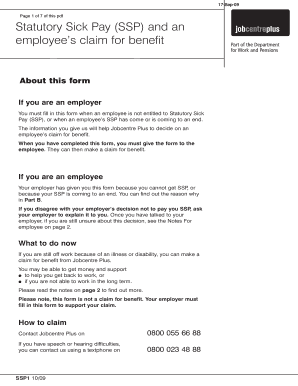
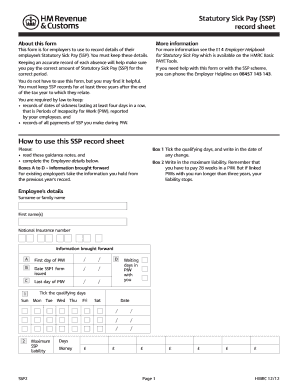
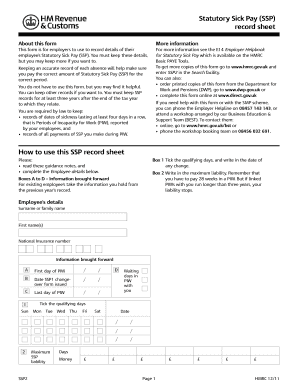
UK HMRC SC2 Form Versions
Related Content
Related Forms





Get the latest insights from our blog


If you believe that this page should be taken down, please follow our DMCA take down process
here
.
This form may include fields for payment information. Data entered in these fields is not covered by PCI DSS compliance.